 This page provides some examples of a few of the most popular types of trackers you can set up at ClixTrac. The type of tracker you choose depends on which type of promotions you're running and other factors, such as whether you can use HTML code or if you're limited to only counting clicks.
Banner Ads
Most people know what banner ads are. You see them on just about every website nowadays. They're advertisements that use an image. Sometimes, they use animation, sound, or video to maximize presence and get more attention.
Some of the most widely used banner image formats are GIF, JPG/JPEG and PNG. ClixTrac supports all three of those image formats.
Years ago, SWF (Flash) banners were extremely popular. However, we no longer support SWF format, because Adobe Flash itself was discontinued on December 31, 2020. Most web browsers will no longer open or display Flash banners because of that.
Determining the image format is easy. Simply right-click on the banner and choose "Properties" or "View Image Info" from the menu that appears. If the image is already saved to your computer, you can do the same thing by right-clicking on the banner's file name. Often, the file extension is in plain sight at the end of the file name, such as .gif, .jpg or .png.
Here's an example of a banner ad:
Banners are usually placed on webpages that have interesting content, such as news articles or opinion pieces. It's usually best to place your banner on a webpage that is about the same topic as the product or service you're promoting. That way, it has a better chance of resignating with those visitors.
Each time someone loads the webpage and causes the banner to display, it's what's commonly known as an "impression". In our stats, we call them "Views". Our system will count both views and clicks for your banner ads.
We also use those numbers to calculate the ad's "click-through rate" or CTR. For example, if your banner loads 100 times and has 5 people click on it, that's a 5% CTR. That just means that 5% of the people that loaded the banner were interested enough to click on it for more information.
Banner ad trackers are a good fit for people that have access to webpages where they can insert/embed the ad's HTML code. Or, if you're buying ad space on someone else's website, you can set up the banner ad here and give them the resulting HTML code.
Also, some web services such as forums, message boards and social networking websites allow their users to post images and customize the layout of their pages. So it's pretty simple to copy and paste your banner's HTML code onto such services and make your ad display for everyone that visits that page.
Setting up banner trackers is easy. Simply choose "Set up a Banner Ad" during the tracker setup process, upload the image that you want to use, and enter the website URL that you want clickers taken to. Once saved, our system will create special HTML code for you to add to your webpages.
Text Ads
Text ads are advertisements that use words alone to convey your message, without imagery. Since there's no image, you have to choose your words wisely. Just changing one word can have a big impact on your ad's results. So it's a good idea to test a variety of words and phrases and see which ones resignate the most with your prospects and lead to more clicks.
Here's an example of a text ad:
 Click Here to Make Millions Online!
Some people might prefer short teaser sentences, like the one above. Some text ads are a bit longer than that or may even be a simple Click Here at the end of a sales presentation.
As with all advertisements, it's best to try a variety of them to see which have the best results for you.
Usually, that means you'd compare the click-through rates (CTR) for your ads, to see which ads get the highest percentage of viewers to click on them.
For example, if one ad has a 1% CTR and another ad has a 5% CTR, that means that the second ad has 5x more people clicking on it. That's huge! So you'll want to determine what it is that's making the second ad out-perform the first ad and make more ads like it.
Most of the time, getting a higher CTR also means you'll have more sales and revenue than you would've had with the poorer performing ad. It's usually just basic math.
Setting up text ad trackers is easy. Simply choose "Set up a Text Ad" during the tracker setup process, enter the wording for your ad, and enter the website URL that you want clickers taken to. Once saved, our system will create special HTML code for you to add to your webpages.
Tracking URLs
Tracking URLs are click-tracking links that count how many times people use them. People set them up for a variety of reasons, but usually it's because they don't have access to a website's HTML code, in order to run banners or text ads. Or perhaps they only want to count clicks on their banners and aren't interested in the view counts.
Unlike banners and text ads, tracking URLs don't count views and therefore can't use that data to calculate a click-through rate (CTR) for you. They simply count the clicks in your stats here and redirect the clickers to the website that you entered in that tracker's settings.
Another benefic for using tracking URLs is that you can use them to shorten long links. Shortening links really grew in popularity due to the growing popularity of what are called micro-blogging services, such as Twitter.com (now called X, of course).
Many of those services limit the number of characters a user can post with each blog post. Meaning, it can be quite challenging to blog about something of interest and include a link to whatever you're blogging about. In many cases, the link itself exceeds the character limit and you're unable to submit your blog posting.
So tracking URLs allow you to take a long, ugly URL and turn it into a much nicer and shorter URL that's more suitable for micro-blogging. The fact that it will also count clicks is a great bonus!
Here's an example of converting a long ugly URL into a Tracking URL.
Long, ugly URL:
https://www.google.com/?http://www.ebay.com/sch/Cars-Trucks-/6001/i.html?&makeval=Chevrolet
&modelval=Corvette&_nkw=Chevrolet%20Corvette&_trksid=p2050890.m1603
New Tracking URL:
http://clixtrac.com/goto/?4074
As you can see, the Tracking URL is much shorter and neater. Both links end up at the same place. However, the shorter link is also helping you track how many people use it and where they come from.
Not only does the shorter link look better, but it lowers the chance of being broken if someone copies and pastes it into their web browser. Long and cumbersome links are much more likely to be copied incorrectly. Long URLs can also lead to broken links when you email them to someone. The recipient's email client can break the long link unexpectedly.
Setting up a tracking URL like the one above is easy. Simply choose "Create a Basic Tracking URL" during the tracker setup process and enter the website URL that you want clickers taken to. Our system will then create a new tracking URL for you.
QR Codes
Every Tracking URL that you set up will automatically have a QR Code generated for it.
QR Codes are great for advertising offline and in print. Since banners and text ads are set up purely for advertising online, they don't have QR Codes. Only Tracking URLs will have them.
Here's an example of a QR Code:
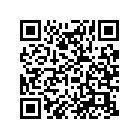
That example leads to our Sign Up page. You can scan it with your smartphone to see how it works.
After you set up a Tracking URL, simply go to that tracker's QR Code page. There, you'll be able to choose which size image you want to use and save the QR Code to your device. Every time someone uses that QR Code to go to your website, our system will count that activity as a "click" in your stats for you.
Overview
* For Banner Ads and Text Ads, if you use our optional Javascript code, instead of the tracker's HTML code,
other aspects of that tracker, such as a banner's hover text and a text ad's wording, also become dynamic.
Dynamic Explained
When we say, "dynamic", it simply means that when you change certain tracker settings inside your control panel here at ClixTrac, that change takes effect everywhere that you have that tracker in use.
For example, let's look at the "Landing Page URL" setting. The Landing Page URL is the website URL that you want people taken to when they click on your tracker. It's the destination website.
When the Landing Page URL is "dynamic", it means that you can edit that URL in your ClixTrac control panel at any time and save the change. Anyone that clicks on that tracker after that point will be taken to the new URL that you entered, instead of the old URL.
That means you won't need to go hunt down all the websites that you've posted that tracker on and manually edit each and every one of them!
This is extremely useful when you're someone like an affiliate marketer and you don't have full control over the website that you're sending people to. If you're ad was linking directly to the offer, that can be a huge problem! At any given time, that website can go down or discontinue their offer and you're left with a bunch of broken ads posted all over the web. Not good!
Or maybe you have a lot of traffic going through your ads but the prospects aren't converting into sales as well as you hoped. Having the ability to change where all that traffic is directed with a few little mouse clicks allows you to be in full control. You can begin sending that traffic to a different offer to see which offer performs the best. This allows you to continuously strive to boost your results and improve your revenue!
Without a doubt, having dynamic landing page URLs is vital to anyone that's doing any type of affiliate marketing.
Having dynamic banner images is very similar. Having the ability to change the banner image in your control panel here and instantly begin showing a new image allows you to test multiple banner images and figure out which one gets the best click-through rate (CTR). Usually, the more people you can get to notice your ad and click on it, the more potential sales you can make.
We also have a very useful Rotator feature that will let you cycle through the different banner trackers that you've set up here. It's great for split-testing banners to see which one gets the best response, as well as, for cycling through ads from your sponsors.



